WAV File Generator Tutorial
This is a tutorial about the WAV File Generator App. The WAV Audio File Generator is the ultimate tool for generating high-quality audio files. Whether you’re a sound designer, musician, or audio enthusiast, this App empowers you to craft pristine WAV files with precision and ease. If there are any questions, please just send an Email to tom@ee-toolkit.com
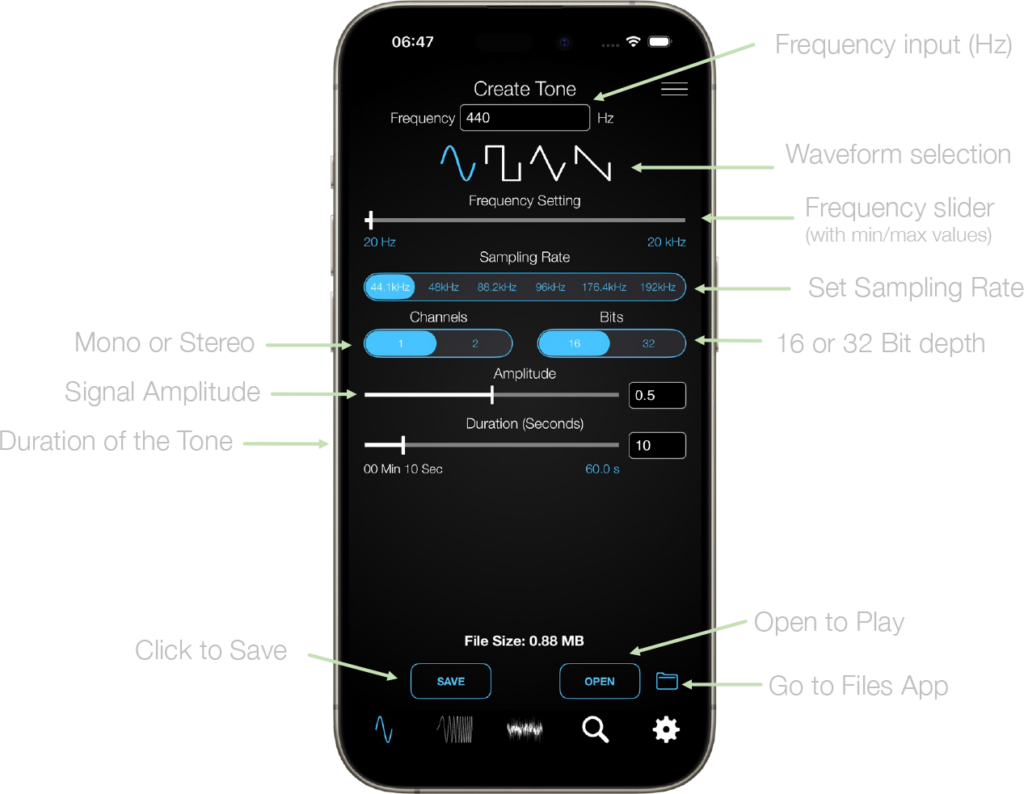
Enter a frequency in the text field (range 1.0 – 21kHz). Select one of the four waveforms: sine, rectangular, triangular or sawtooth. Select duration and amplitude.
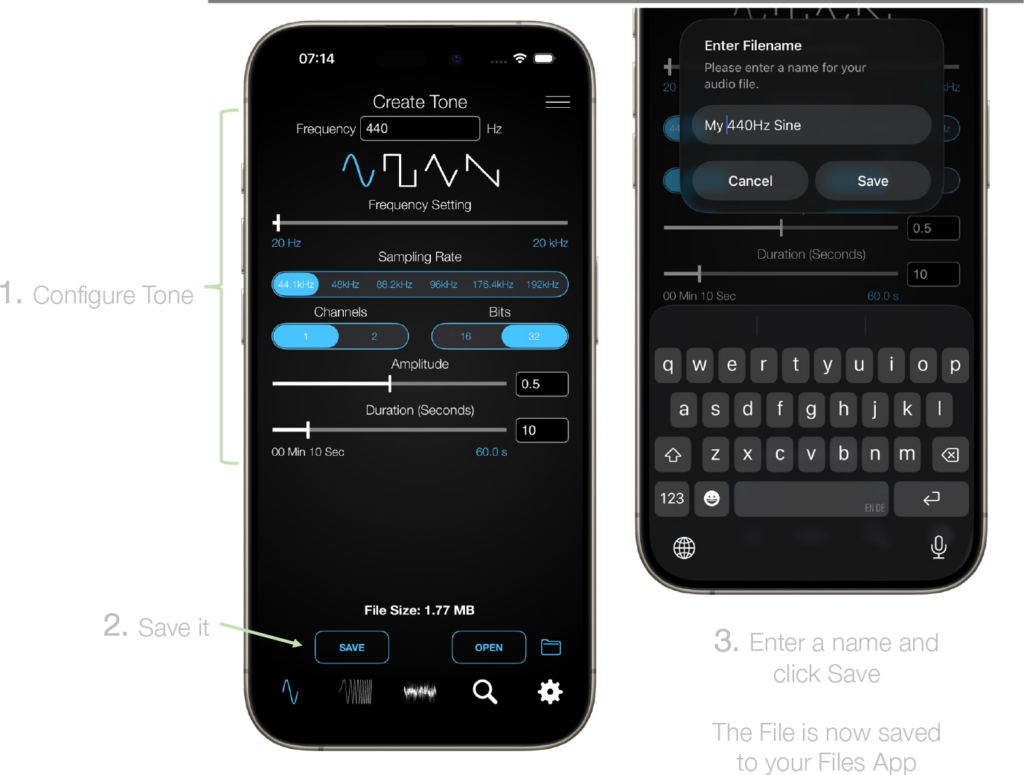
After the tone configuration is done, press the save button to save the file to your Files App.
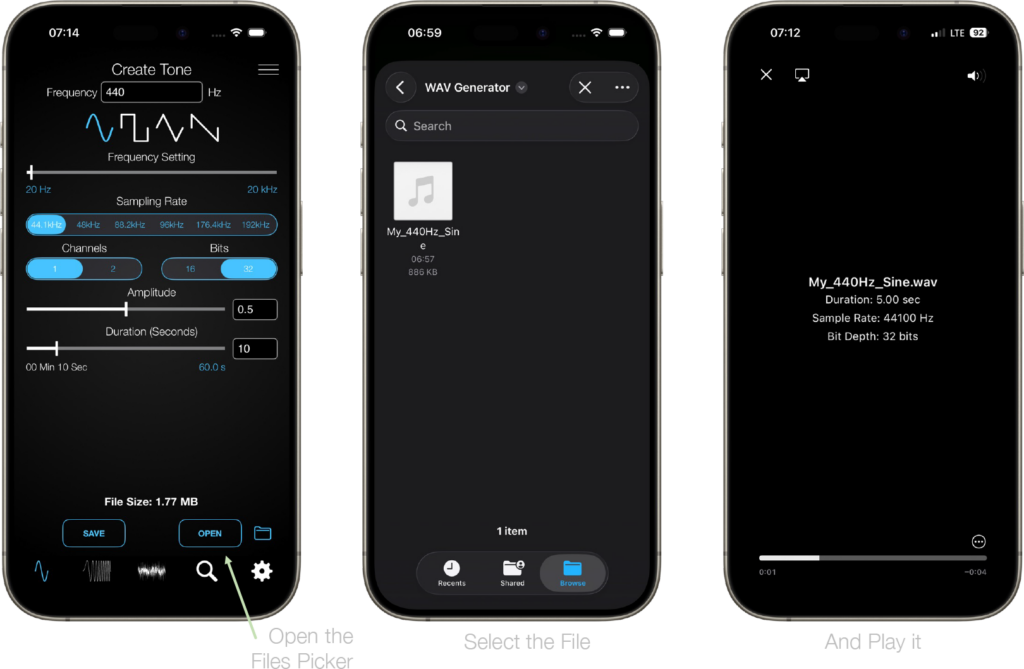
To open a file, go to the Files App directly or use the Open button which brings up a picker menu. There you can select the WAV file to play it.
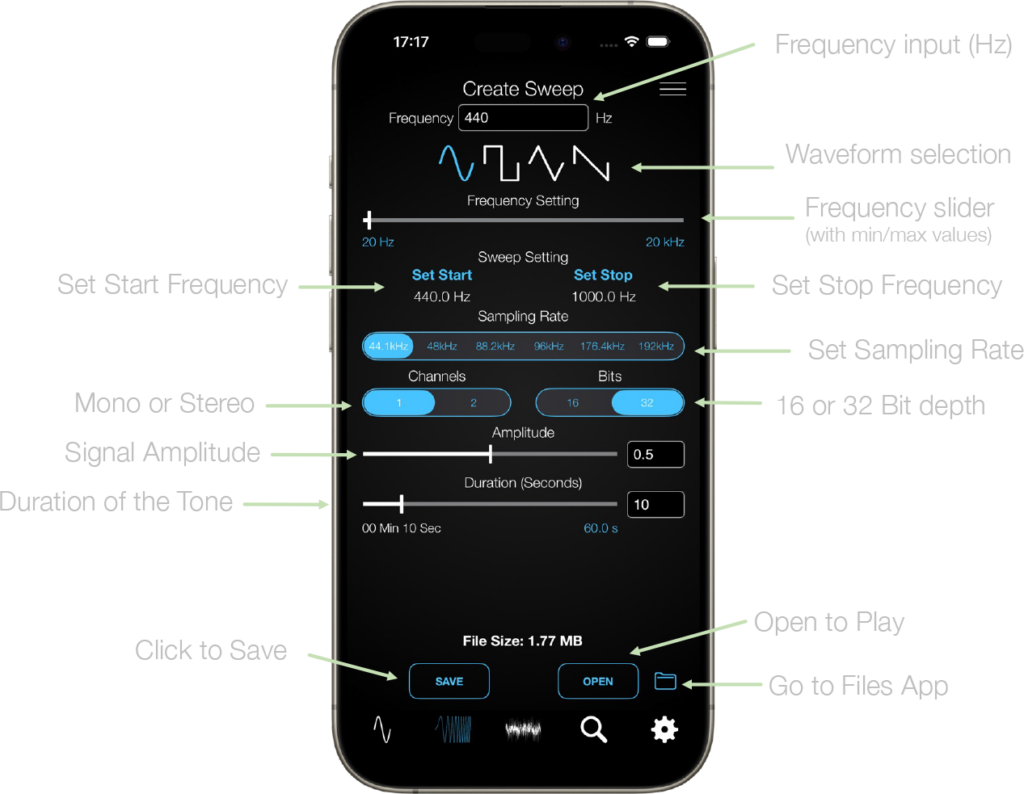
Creation of a Sweep WAV file can but done by similar steps as with a fixed tone.
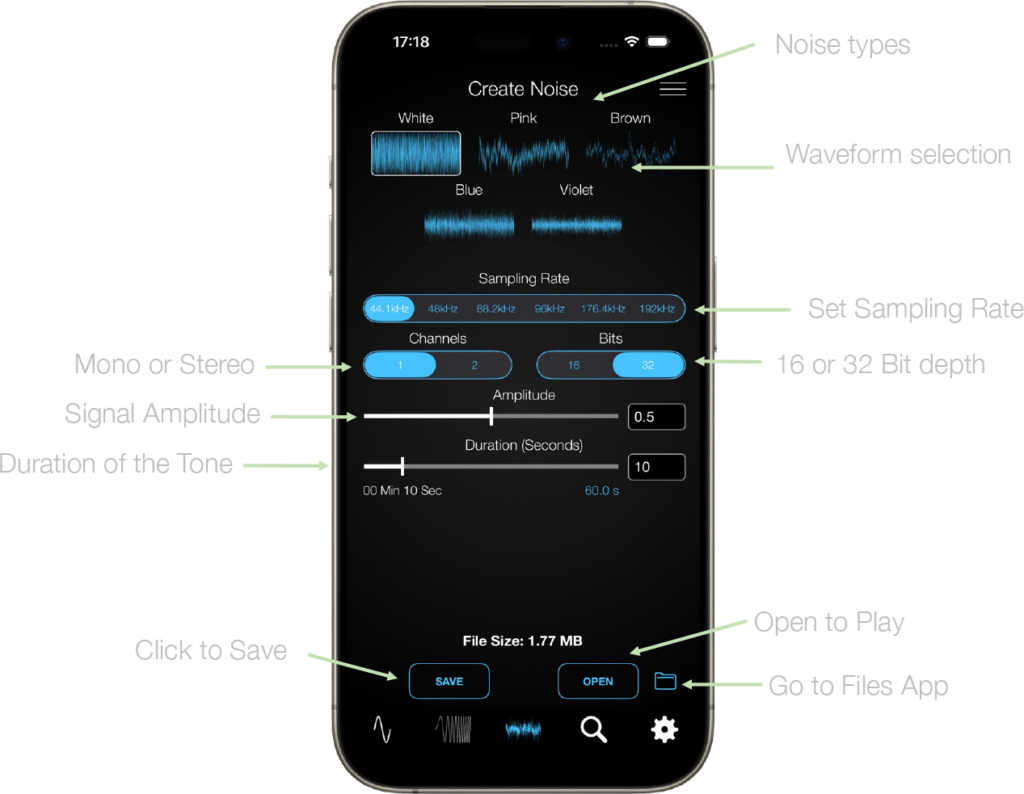
The same process applies when creating a file with noise content.
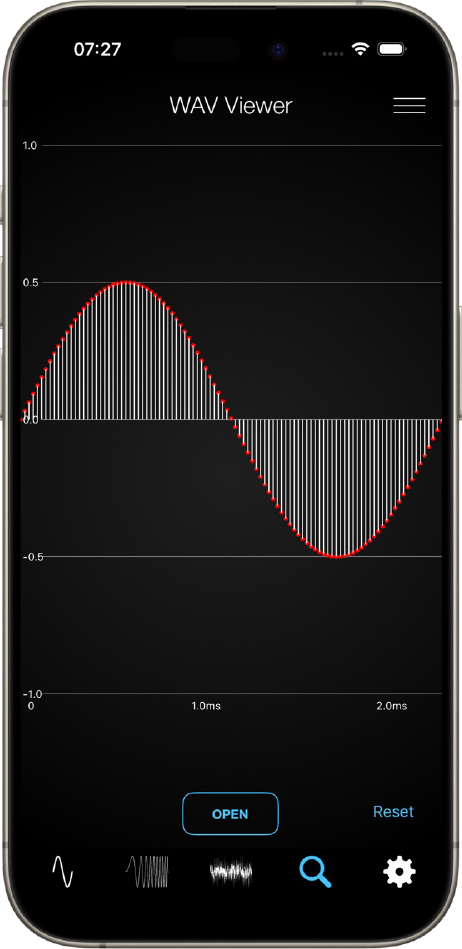
The WAV Viewer allow you to open a WAV file zoom in/out and scroll through it. In this example, a sine wave with 0.5 amplitude has been opened.
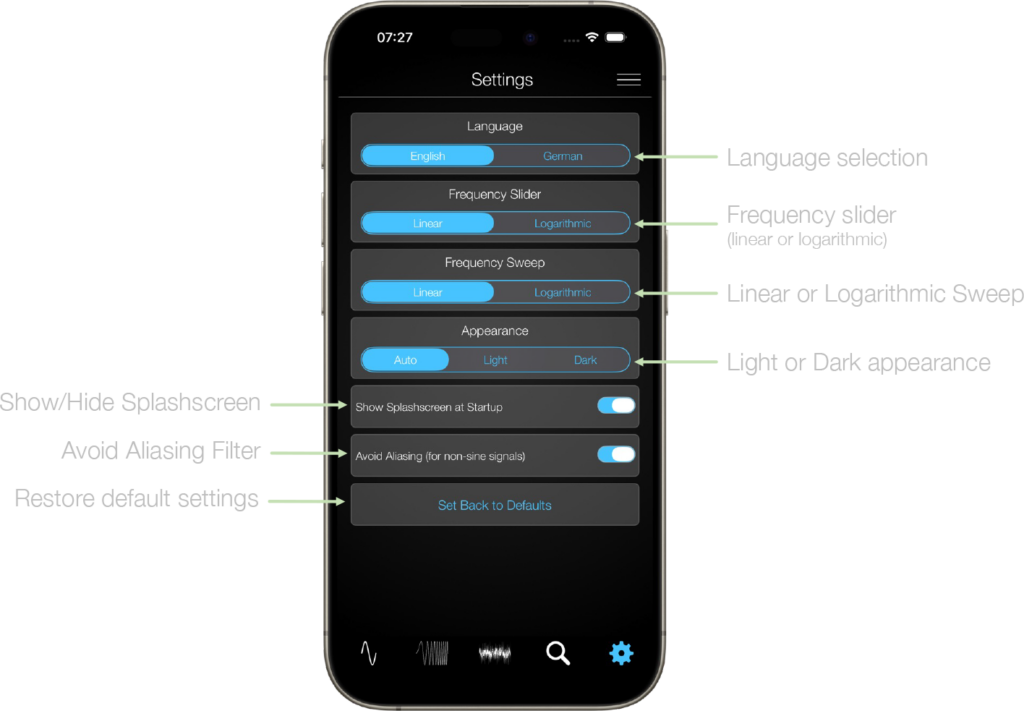
The settings page of the WAV File Generator is a scroll down menu, providing several options for individual configurations.